Have you noticed that your website’s Direct traffic is increasing in Google Analytics 4 (GA4), but you cannot explain where those visitors are coming from?
AI tools such as Google Gemini could be part of the reason.
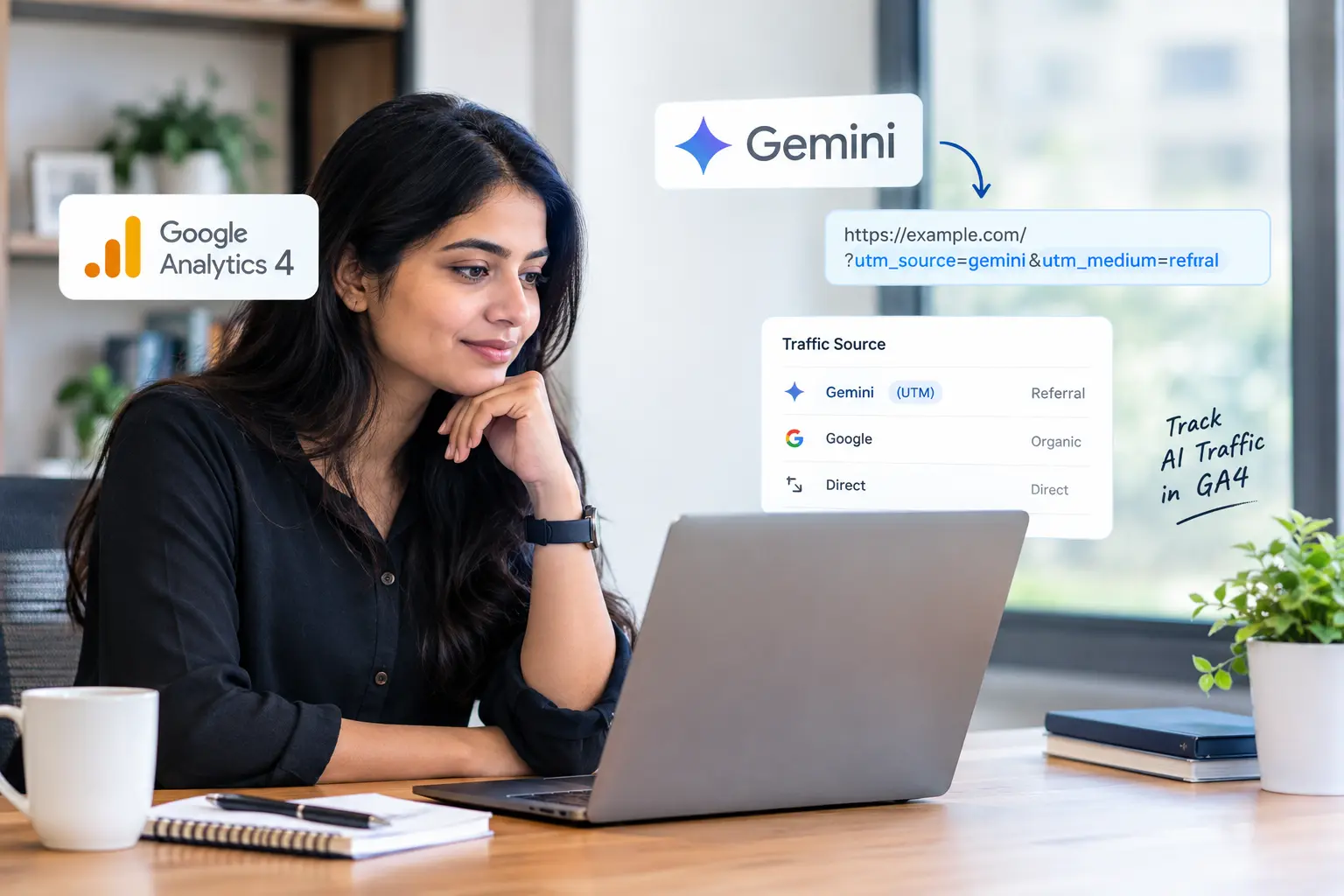
In late September 2026, reports indicated that Gemini had started adding UTM parameters to some of the links it shares with users. This change could help marketers identify visitors coming from Gemini more accurately.
But how does this work, and how can you use it to improve your website traffic reports? Let’s take a closer look.
What Are UTM Parameters?
UTM parameters are short pieces of text added to a URL to help analytics tools identify where website visitors come from.
For example:
https://example.com/?utm_source=gemini&utm_medium=referral
In this example:
- utm_source=gemini identifies Gemini as the traffic source.
- utm_medium=referral identifies the visit as referral traffic.
When visitors arrive without clear source information, GA4 may classify their visits as Direct traffic. This category can include visits whose original source cannot be identified.
As a result, some visits from AI tools may previously have been included in Direct traffic instead of being reported separately.
What Has Changed With Gemini Tracking?
According to Search Engine Journal, Google Gemini has started adding UTM parameters to some of its outgoing links.
The change was first noticed by a Reddit user, and Google’s John Mueller also confirmed that he could observe the behaviour.
This is useful because it gives analytics tools another way to identify visits from Gemini.
Other AI tools, including ChatGPT, already use tracking parameters on certain links. Gemini’s reported update could make it easier for marketers to compare traffic from different AI platforms.
However, the change does not mean that every visit from Gemini will now be tracked perfectly.
Why Was Gemini Traffic Difficult to Measure?
Before this update, Gemini could send referral information when users clicked links. However, referral information does not always reach analytics tools consistently.
For example, a visitor might discover your website through Gemini, click a link, and arrive at your website without clear information about the original source.
GA4 might then classify the visit as Direct traffic.
Some users have also reported differences between desktop and mobile app tracking. However, these reports do not establish exactly how Gemini behaves across every device.
This creates a measurement problem: your website may receive visits from AI platforms, but your analytics reports may not clearly identify them.
How Does This Update Help Marketers?
More accurate source information can help marketers understand how AI tools contribute to website traffic.
Here are four important benefits.
1. Better visibility into AI traffic
You can identify more visits associated with Gemini instead of relying only on referral information or assumptions.
2. Easier comparison between traffic sources
You can compare visits from Gemini with those from organic search, ChatGPT, and other AI platforms, provided the data is recorded consistently.
3. More reliable marketing reports
Clearer traffic sources make it easier to explain how people discover your website and evaluate your marketing efforts.
4. Better understanding of Direct traffic
Some visits that might otherwise appear as Direct traffic may now have a more identifiable source. However, this does not mean all unexplained Direct visits will disappear.
What Are the Limitations of Gemini UTM Tracking?
Although this update is helpful, marketers should understand its limitations before changing their reporting process.
1. The Exact Behaviour Is Still Unclear
The reported change has not been fully documented by Google. It is therefore difficult to know exactly when Gemini adds UTM parameters and which links are affected.
2. Tracking Values May Vary
Do not assume every Gemini visit will appear under the same source or medium.
Check your GA4 reports and actual landing-page URLs to confirm which values are being recorded before creating filters or custom reports.
3. Other AI Platforms May Behave Differently
Gemini's reported update does not automatically solve tracking problems for ChatGPT, Perplexity, Claude, or other AI platforms.
Some visits may still appear under referral or Direct traffic, depending on how the platform sends users to your website.
4. GA4's AI Traffic Reporting Still Matters
GA4 has reporting and channel-grouping capabilities that can help identify traffic from AI assistants. The exact classification depends on the report, channel-group definition, and available source data.
UTM parameters provide another useful signal, but they do not replace the need to review your existing GA4 configuration.
How to Identify AI-Driven Website Visits in GA4
You do not need a complicated analytics setup to start investigating AI traffic. Follow these steps to understand what your current data shows.
Step 1: Check the Traffic Acquisition Report
Open Google Analytics 4 and navigate to:
Reports → Acquisition → Traffic acquisition
Find the Session source / medium dimension and look for entries containing terms such as gemini.
Depending on the data collected, you may find entries such as gemini.google.com / referral or another source and medium combination.
If Gemini traffic does not appear, it does not necessarily mean that you have received no visitors from Gemini.
Step 2: Review the AI Assistant Channel
If your GA4 property includes an AI Assistant channel group, review it to understand how visits from recognised AI platforms are classified.
Compare the channel data with the Session source / medium report. This can help you spot differences between the overall AI traffic category and individual traffic sources.
Step 3: Check Landing Pages and Available Referral Data
Identify the pages visitors enter first, then compare those pages with the available source and medium information.
If you have access to web server logs, review the recorded request URLs and referrer information where available. UTM parameters may appear in the requested URL, depending on your server's logging configuration.
Remember that a standard server log does not always preserve the complete original URL or referrer, so check what your logging system actually records.
Step 4: Create a Custom AI Traffic Channel
If you want to monitor AI visits regularly, consider creating a custom channel group called AI Traffic.
You can define rules for recognised sources such as Gemini, ChatGPT, Perplexity, and Claude using the source values present in your data.
Before creating the rules, review the actual source names in GA4. Use consistent conditions to avoid counting the same visit incorrectly or excluding relevant traffic.
Update the rules periodically as AI platforms change their linking and tracking behaviour.
Step 5: Monitor Changes in Direct Traffic
Compare your Direct traffic and identified AI traffic over time.
For example, if Direct traffic decreases while identified Gemini traffic increases, some visits may be receiving clearer source attribution.
However, this pattern alone does not prove that Gemini's tracking update caused the change. Other factors, including website campaigns, consent settings, and changes in user behaviour, can also affect traffic reports.
Step 6: Measure Visitor Quality, Not Just Traffic Volume
Knowing how many visits come from AI platforms is only the first step.
Also review:
- Engagement: Do visitors spend time exploring your website?
- Landing pages: Which pages attract AI-referred visitors?
- Conversions: Do visitors submit enquiries, sign up, or make purchases?
- Conversion rate: Which traffic sources bring visitors who take meaningful actions?
For example, 10 visitors who submit genuine enquiries may provide more business value than 100 visitors who leave without interacting.
These metrics help you understand whether AI platforms are contributing to your actual business goals.
A Common UTM Tracking Mistake to Avoid
Do not add utm_source=gemini to your website links simply because you want to track Gemini traffic.
Gemini's outgoing links may include their own tracking parameters. Adding Gemini tags to links you control will not accurately identify visitors who arrive from Gemini.
You should also avoid adding unnecessary UTM parameters to links between pages on your own website. These parameters can overwrite the original campaign attribution and make your reports less reliable.
Instead, allow external traffic sources to be identified through the available referral information and tracking parameters, and use your analytics reports to verify the results.
Final Thoughts
AI platforms are becoming another way for people to discover websites, products, and services. However, measuring this traffic accurately can be challenging.
Gemini's reported use of UTM parameters is a useful development because it may help marketers identify some AI-driven visits more clearly.
Still, no single tracking method can capture every AI visit. The best approach is to review your GA4 source data, monitor available AI traffic reports, check server logs where appropriate, and measure conversions alongside traffic volume.
As AI platforms continue to evolve, regularly reviewing your analytics setup will help you make better-informed marketing decisions.
Want to Understand Your Website's AI Traffic?
At Mindstory, we help businesses across Kerala improve their digital visibility through SEO, analytics, and data-driven digital marketing strategies.
Whether you need a GA4 tracking review, a clearer AI traffic report, or a complete digital marketing strategy, our team can help you understand your website data and identify opportunities for growth.
About us
We are Mindstory, Digital marketing company. We design thoughtful digital experiences and beautiful brand aesthetics.
Request a free quote
We offer professional SEO services that help websites increase their organic search score drastically in order to compete for the highest rankings even when it comes to highly competitive keywords.
More from our blog
View all stories



Gemini UTM Tracking: How to Identify AI-Driven Website Traffic 3

Gemini UTM Tracking: How to Identify AI-Driven Website Traffic 4